NAVGE
Explore
New AI toolsFree AI toolsFeatured toolsTop AI toolsIntegrations
CategoriesCreatorsFree AI ToolsNew AI ToolsAdvertiseLog inSubmit
AI tools›Productivity›Zoom AI Productivity Suite
Zoom AI Productivity Suite logo

Zoom AI Productivity Suite

AI meeting deliverables

Turn meeting conversations into documents, presentations, and spreadsheets.

View tool
Pricing
freemium
Category
ProductivityBusinessWriting
Listed
Nov 20, 2026
Updated
Nov 20, 2026
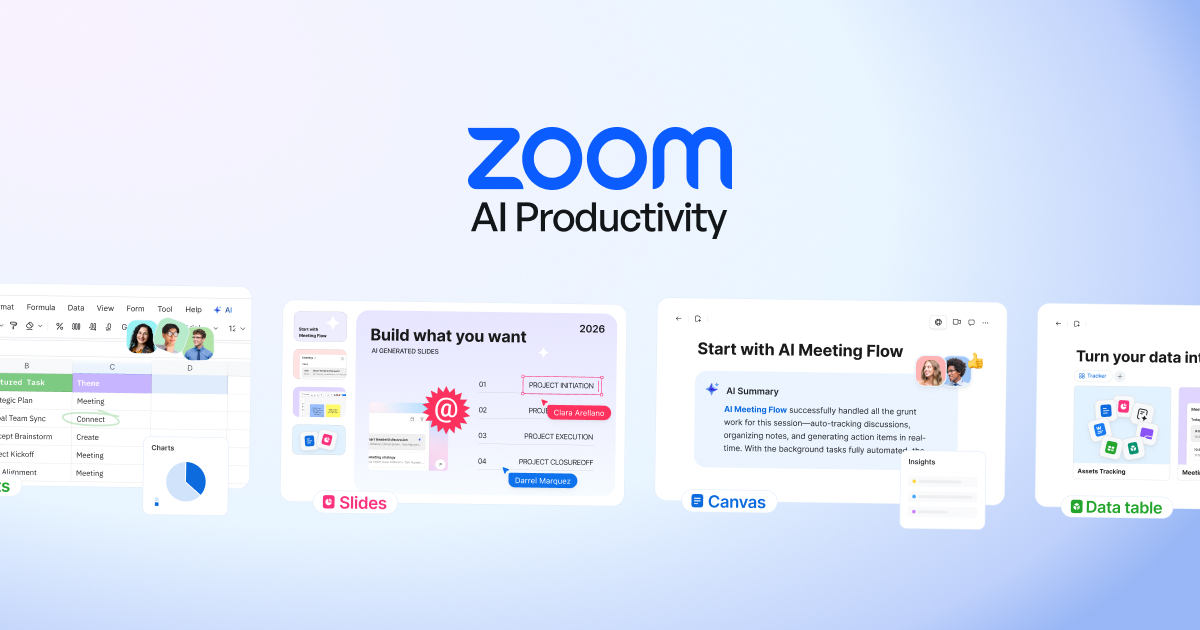
Zoom AI Productivity Suite product screenshot
ProductivityBusinessWritingWebAPIZapier

What does Zoom AI Productivity Suite do?

Zoom AI Productivity Suite helps teams carry meeting context into work they can edit and share. Its tools include Slides for presentations, Sheets for spreadsheets, Paper for documents, Canvas for connected ideas and projects, Data tables for structured information, and Hub for finding Zoom assets. Users can ask AI to create or refine content, collaborate with view, comment, or edit permissions, and co-edit documents during meetings. The suite also offers an Open API, MCP access for AI assistants, and Zapier workflows.

Key features

  • Create presentations, spreadsheets, and documents from meeting context.
  • Refine content and formatting with AI inline or in a side panel.
  • Share work with view, comment, or edit permissions.
  • Share and co-edit documents during meetings.
  • Use Data tables to structure information and Hub to find Zoom assets.
  • Build custom integrations and automate document workflows with the Open API.
  • Connect no-code workflows through Zapier.

Who is it for?

  • Teams turning meetings into shared deliverables
  • Sales teams drafting proposals and follow-ups
  • Consultants preparing client presentations and reports
  • Product managers creating product documents and tracking sheets

Use cases

Draft work after a meeting

Use meeting context to start a document, presentation, or spreadsheet, then refine it with teammates.

Explore spreadsheet data

Ask questions about data in Sheets to investigate patterns and support decisions.

Collaborate during a meeting

Share and co-edit a document live while participants discuss changes.

How to use

  1. Start with a conversation or idea

    Bring meeting context, an outline, or other starting material into the suite.

  2. Create a deliverable

    Work in Slides, Sheets, Paper, Canvas, or Data tables according to the task.

  3. Refine and share

    Ask AI for changes where available, edit the result, and set permissions for collaborators.

Before you start

  • An account is needed to sign in.
  • AI features and monthly credits depend on the selected plan.

Pricing & availability

The product page lists a free Basic plan, AI Productivity Suite at $8.33 per user per month with 1,000 monthly AI credits, and ZoomMate at $16.67 per user per month with 2,200 monthly AI credits. The displayed pricing appears beside Monthly and Annually options; the supplied page text does not establish which billing option is selected.

AI Productivity Suite Basic

$0.00 / month

Three AI document creations monthly for Canvas; no AI credits.

Included with Workplace Basic. Offers unlimited manual creation in Slides, Sheets, and Paper, seven-day version history, a 10 MB attachment limit, and a limited template library. AI capabilities for Slides, Sheets, and Paper are not included.

AI Productivity Suite

$8.33 / month

1,000 AI credits monthly.

Displayed as $8.33 per user per month. Adds instant deck creation, AI voice presentation mode, AI analysis insights, unlimited AI document creation, data tables with more than 20,000 rows, a 1 GB attachment limit, and an advanced template library. The supplied text does not establish which billing option is selected.

ZoomMate

$16.67 / month

2,200 AI credits monthly.

Displayed as $16.67 per user per month. Adds agentic capabilities, automatic post-meeting deliverables, unlimited AI note-taking, agentic search, workflow capabilities, and voice translation. The supplied text does not establish which billing option is selected.

Free plan limits

Basic has no AI credits. It allows three AI document creations per month in Canvas but no AI capabilities in Slides, Sheets, or Paper. It also has seven-day version history, a 10 MB attachment limit, and a limited template library.

Limitations

  • AI capabilities for Slides, Sheets, and Paper are not included in Basic.
  • Basic limits Canvas AI document creation to three per month.
  • Basic has a 10 MB attachment limit and seven-day version history.
  • The supplied page text does not clarify which billing option is selected for the displayed paid rates.

Frequently asked questions

What can Zoom AI Productivity Suite create?

It can help turn meeting conversations into presentations, documents, and spreadsheets. The suite also includes Canvas for connected ideas and projects and Data tables for structured information.

Can teams edit documents during a meeting?

Yes. The product page says teams can share and co-edit documents live inside a meeting.

What is included in the free Basic plan?

The Basic plan includes unlimited manual creation in Slides, Sheets, and Paper, three AI document creations per month in Canvas, seven-day version history, and a 10 MB attachment limit. It does not include AI capabilities for Slides, Sheets, or Paper.

Sources & review

  • https://aisuite.zoom.com/

Related tools

Tomako logo
Tomako

AI CMO that finds growth opportunities and does the work for software founders and small teams.

AI AgentsMarketingProductivityBusinessfreemium
Gen.new logo
Gen.new

AI chat, images, video, audio, and 3D creation in one workspace

ChatImageVideoAudioAI AgentsProductivityfreemium
Xiaoer Omia logo
Xiaoer Omia

Open, lightly edit, and convert 150+ file formats locally on Mac and Windows.

Productivityfreemium
LightPDF logo
LightPDF

Edit, convert, organize, and chat with PDFs using web, mobile, and desktop tools.

ProductivityBusinessChatfreemium
Your next users are here.

Put your AI tool in front of people looking for it.

Advertise on Navge →

Explore categories

AI Agents→Art→Audio→Business→Chat→Chatbot→Code→Design→Fun→Image→Lifestyle & Gifts→Marketing→All categories →
NAVGE

Find the right AI tool for your next task.

Discover

CategoriesCreatorsNew AI toolsFeatured toolsTop AI tools

Pricing

Free AI toolsFreemium AI toolsFree trialsPaid AI tools

Company

AboutSubmit a toolAdvertiseContactTermsPrivacy
© 2026 Navge. All rights reserved.Listings marked Promoted are advertising placements.